




Why Choose UltraVPN?
Connect in Seconds
Military-Grade Encryption
Unblock Social Media
No Bandwidth Caps
100+ Virtual Locations
Watch Sporting Events
No Speed Loss
Secure Firewall
Access Online Media
Protect your Privacy and Identity
UltraVPN hides your IP address, online activity, and location from all websites and online services. UltraVPN is registered outside of the US, known for its anti-privacy laws, and has a explicit zero-logs policy.
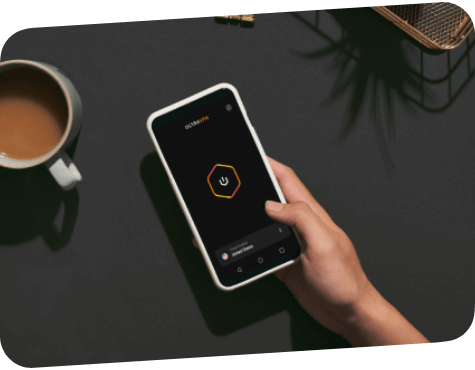

Secure all of your devices
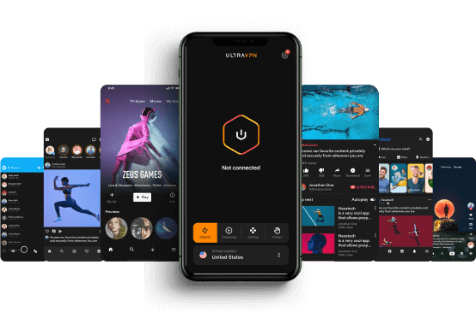
Browse the internet securely and anonymously on all your devices, up to 10 at a time. Connect to Virtual locations in over 125 global locations to ensure your data is protected, even when connected to unsecured public WiFi hotspots.
Available On
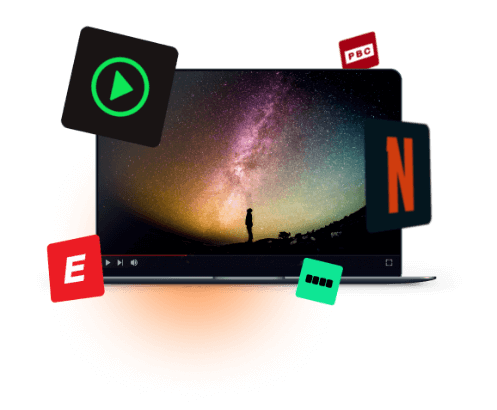
Stream your Favorite Shows and Sports
Our industry-leading technology ensures a fast and dependable connection. Watch sports and unblock global streaming content on Netflix, Hulu, BBC iPlayer, Disney, HBO, and Amazon Prime Video.
UltraVPN Gives You the Privacy and Security You Need, Plus the Connection Speed and Quality Features You Want

No-Logs Policy

Online Anonymity & Hidden IP

No Bandwidth Caps

Simultaneous Connections

Internet Connection Kill Switch

Malware & Phishing Protection

Military-Grade Encryption

24/7 Live Customer Support
Frequently Asked Questions
What is a VPN?
A VPN, virtual private network, keeps your data safe online from hackers, snoopers, and identity thieves, while providing unrestricted access to blocked websites and services.
How does a VPN work?
Without the security of a VPN, your web traffic is exposed. This means that cyber criminals can intercept your personal data and your ISP can see what you do online.
When you connect to UltraVPN, your web traffic is routed through our secure VPN Virtual locations, where it is then encrypted. This acts as a ‘tunnel’ for your data to travel through, keeping your sensitive information secure.
Why do I need a VPN?
With the UltraVPN app, you get all the benefits of a secure VPN in just one click:
Sign up – Choose your plan and create an account online
Download – Download the UltraVPN app on your mobile and desktop devices
Launch App – Open up the UltraVPN app and sign in
Connect – Click the “Connect” button to turn on the VPN connection. Your device is now protected.
Download – Download the UltraVPN app on your mobile and desktop devices
Launch App – Open up the UltraVPN app and sign in
Connect – Click the “Connect” button to turn on the VPN connection. Your device is now protected.
What is a VPN?
Stay private online
When you’re at home, at a coffee shop, or while traveling, if you are accessing WiFi without a VPN, you are connected to a public or shared network through your Internet Service Provider. This means that any information you send through the public network is just that — public. Since an ISP can see what information you’re visiting, they can control the content you have access to by blocking and censoring websites.
When you’re at home, at a coffee shop, or while traveling, if you are accessing WiFi without a VPN, you are connected to a public or shared network through your Internet Service Provider. This means that any information you send through the public network is just that — public. Since an ISP can see what information you’re visiting, they can control the content you have access to by blocking and censoring websites.
Protect yourself on public WiFi
Virtually anyone with the tools and know-how can see what you’re doing online, track when you do it, and where you do it from. What’s worse is hackers and cybercriminals can steal your personal information — such as credit cards, bank account numbers, passwords, and other personal data — and use it to commit fraud or steal your identity.
Virtually anyone with the tools and know-how can see what you’re doing online, track when you do it, and where you do it from. What’s worse is hackers and cybercriminals can steal your personal information — such as credit cards, bank account numbers, passwords, and other personal data — and use it to commit fraud or steal your identity.